Virtualization
Bare Metal to Cloud Strategy
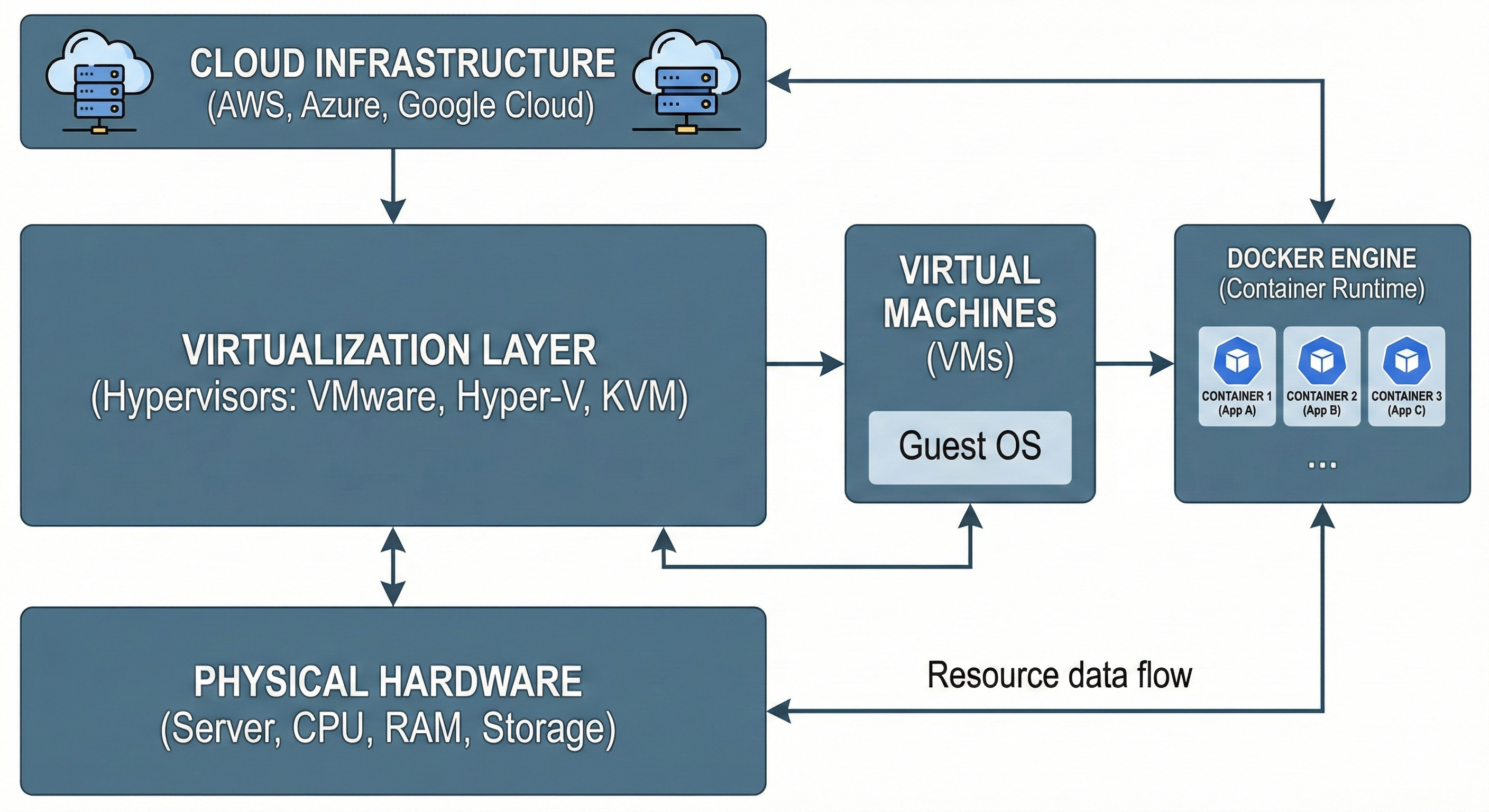
Before we have Docker, we need a place to run it. I manage Type-1 Hypervisors (like Proxmox and ESXi) to slice physical hardware into efficient Virtual Machines. This is the foundation of private cloud infrastructure.
🏗️ The Stack: Hardware Server → Hypervisor (Proxmox/KVM) → Virtual Machine (Ubuntu) → Docker Engine.
Hypervisor Landscape
Proxmox VE
Open-source enterprise virtualization. My preferred choice for home labs and private clouds.
- Debian-based
- Supports LXC Containers
- Web GUI included
VMware ESXi
The industry standard for large enterprises. Highly stable but expensive licensing.
- Proprietary Kernel
- vCenter Management
- Corporate Standard
KVM (Linux)
Kernel-based Virtual Machine. This is what powers AWS and Google Cloud under the hood.
- Built into Linux
- Command-line focused
- Maximum Performance
Step 1: Managing VMs via CLI
While GUIs are nice, efficient administration happens in the terminal. Here is how I manage resources using Proxmox CLI (`qm`) and KVM (`virsh`).
Proxmox Management (qm)
Creating and controlling VMs on a Proxmox host.
# List all running VMs
qm list

# Stop a VM forcefully (VM ID 100)
qm stop 100

# Clone a template to create a new VM
qm clone 9000 101 --name docker-node-01
KVM/Virsh Commands
Direct interaction with the Linux Kernel hypervisor.
# Check list of VMs
virsh list --all

# Start a VM
virsh start ubuntu-server

# Edit VM configuration (XML)
virsh edit ubuntu-server
Connecting to Docker Infrastructure
Virtualization is the "Parent" of Docker. In a production environment, we don't run Docker on the bare metal hypervisor. We run it inside the VMs we just created.
1. Provision VM
Create a generic Ubuntu VM using Proxmox or KVM.
qm create 102 --name "docker-host" --memory 4096 --net0 virtio,bridge=vmbr0
2. Install Engine
SSH into the new VM and set up the container runtime.
ssh user@192.168.1.102
curl -fsSL https://get.docker.com | sh
⚡ Troubleshooting Virtual Resources
VM Won't Start (Resource Lock)
Sometimes a backup leaves a lock on the VM configuration.
qm unlock 100
Expand Disk Space
Increasing storage for a growing Docker registry.
qm resize 100 scsi0 +20G
# Then resize inside the VM OS