Linux & DevOps Admin
🚀 A full-stack Dockerized project deployed on AWS EC2 using Terraform, bash automation, and monitoring tools.
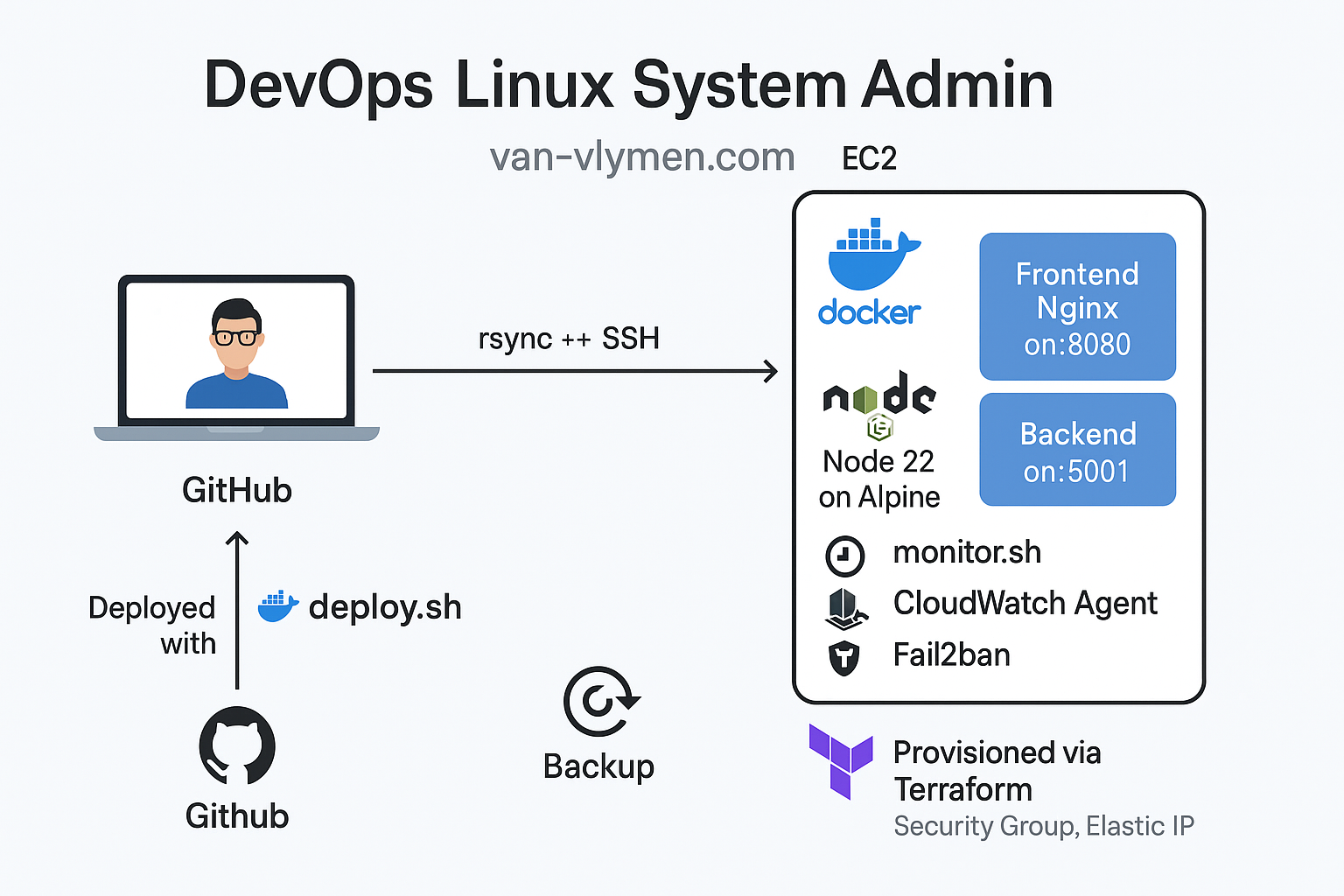
💡 What I Built
Key DevOps & automation features of this project:
- Provisioned AWS EC2 instance, security group, and Elastic IP using Terraform.
- Created reusable
deploy.shto automate code sync and container restart with rsync + SSH. - Built and deployed frontend (Nginx) and backend (Node.js) apps using Docker Compose.
- Implemented CloudWatch Agent and a daily cron script to monitor uptime and disk space.
- Secured SSH access with fail2ban to block brute-force login attempts.
- Developed a
backup.shstrategy to archive Docker volumes and support restoration.
Security
Firewall Management
Securing networks with iptables, UFW, and cloud-native security groups.
Security Audit →Containers
Containerization Services
Orchestrating scalable apps using Docker, Compose, and Kubernetes.
Registry Info →Version Control Systems
GitHub & README
Git, SVN, and branching strategies for collaborative development.
Documentation →Virtualization
Virtualization Technologies
Managing Proxmox, VMware, and KVM hypervisor environments.
Host Monitor →Infrastructure as Code (IaC)
Automation
Ansible playbooks, Terraform IaC, and CI/CD pipelines.
View Specs →Scripting
Scripting Languages & Tools
Bash, Python, and PowerShell for custom tooling and API hooks.
Code Snippets →🌐 Want to view the live demo?
Access the running project on AWS EC2:
🔍 Want to see more source code?
Check out my GitHub!