Backup & Recovery
Disaster Recovery Strategy
Data loss is not a matter of "if," but "when." My strategy involves the 3-2-1 Backup Rule: 3 copies of data, 2 different media types, and 1 off-site copy.
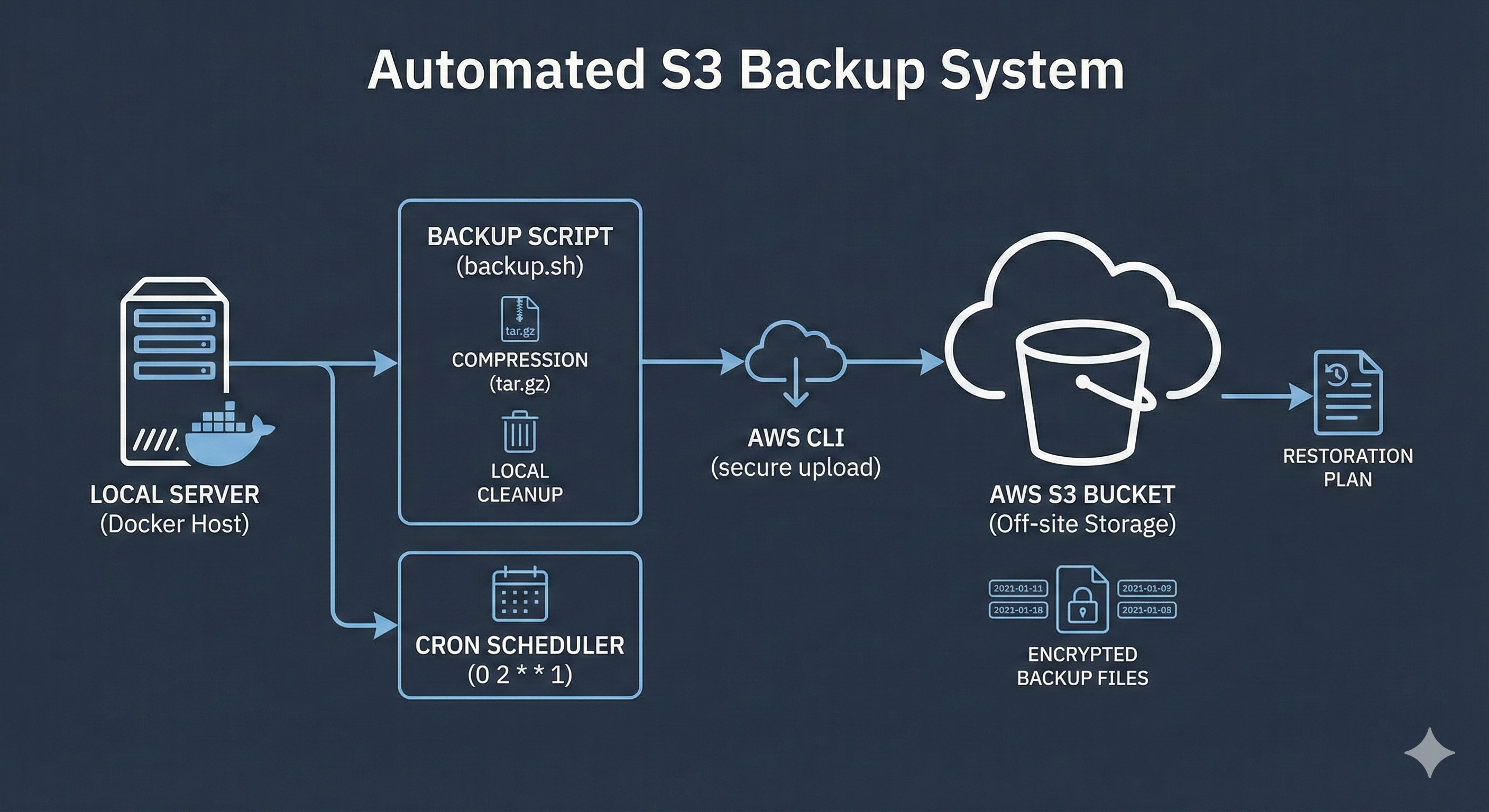
🛡️ The Automation: A Bash script compresses Docker volumes → Uploads to AWS S3 → Scheduled via Cron (Automated).
Step 1: The Backup Script
I wrote this backup.sh script to automate the process. It compresses the data, uploads it to the cloud, and cleans up old local files to save disk space.
#!/bin/bash

# --- Configuration ---
SOURCE_DIR="/var/lib/docker/volumes/my-app-data"
BACKUP_DIR="/home/admin/backups"
BUCKET_NAME="s3://my-portfolio-backups"
DATE=$(date +%F)
FILE_NAME="backup-$DATE.tar.gz"

# 1. Create Backup Directory if not exists
mkdir -p $BACKUP_DIR

# 2. Compress the Data (Tarball)
echo "📦 Compressing data..."
tar -czf $BACKUP_DIR/$FILE_NAME $SOURCE_DIR

# 3. Upload to AWS S3
echo "☁️ Uploading to S3..."
aws s3 cp $BACKUP_DIR/$FILE_NAME $BUCKET_NAME

# 4. Cleanup: Remove local backups older than 7 days
echo "🧹 Cleaning up old files..."
find $BACKUP_DIR -type f -name "*.tar.gz" -mtime +7 -delete

echo "✅ Backup Complete!"
Why use `tar`?
It preserves file permissions and reduces upload size significantly.
Why `mtime +7`?
This prevents the server storage from filling up by deleting week-old local files automatically.
Step 2: Automating with Cron
We don't run backups manually. We use the Linux Cron Daemon to schedule the job.
How to install:
crontab -e
# Paste the line above at the bottom of the file
⚙️ Configuration Requirements
AWS IAM User
Created a dedicated user with AmazonS3FullAccess policy strictly for backups.
access_key = AKIAIOSFODNN7EXAMPLE
secret_key = wJalrXUtnFEMI/K7MDENG/bPxRfiCYEXAMPLEKEY
Install AWS CLI
The script relies on the CLI tool to communicate with S3.
sudo apt install awscli
aws configure
🔄 The Restoration Plan
A backup is only as good as its ability to be restored. If the server fails, here is the recovery command:
# 1. Download from S3
aws s3 cp s3://my-portfolio-backups/backup-2023-10-23.tar.gz .

# 2. Extract Data
tar -xzvf backup-2023-10-23.tar.gz -C /var/lib/docker/volumes/